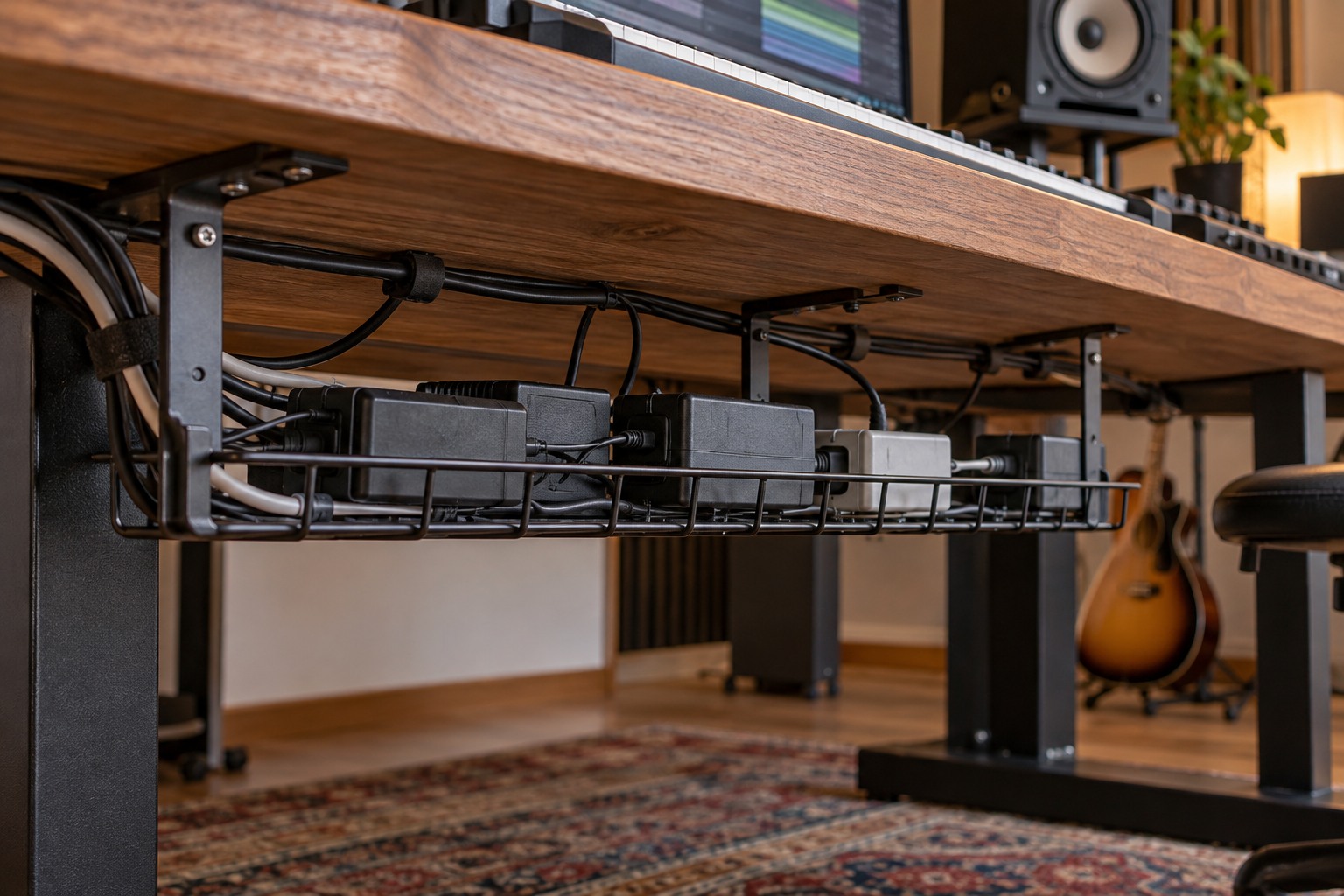
Map the underside of the desk
Measure the clear area beneath the desktop, including legs, braces, drawers and any height-adjustment mechanism. Photograph the space and mark where the tray could sit without hitting knees or blocking a clamp. A tray that fits the desktop width may still conflict with a crossbar.
Check the desk material and the tray's mounting requirements. Screws, clamps and adhesive brackets have different limitations, and a thin or hollow desktop may not accept the fastening method shown in a product photograph. Follow the desk and tray manufacturers' instructions rather than choosing hardware solely by appearance.
List the objects you want to place in the tray. Cable loops, a power strip and several adapters need different amounts of space. Check the tray's rated load and include the weight of all intended contents. Leave room to lift out one item without dragging every other lead with it.
Keep adapters accessible and ventilated
Read the ventilation and mounting instructions for the power supplies and power strip. Do not assume a closed box or a tightly packed basket is suitable. Keep openings clear, avoid stacking adapters into a compact pile, and arrange plugs so that their bodies do not force neighboring connections sideways.
Label each adapter with its device name while the relationship is known. The label should not obscure the electrical specification or ventilation. Similar-looking adapters may not be interchangeable, so keeping each one identifiable prevents a later search from becoming guesswork.
Provide a route to the wall outlet that does not cross a walking area or become trapped by furniture. Do not use a tray to conceal damaged insulation, loose sockets or an overloaded arrangement. Cable management should make inspection easier, not hide conditions that require attention.
Test the desk's full movement
For a sit-stand desk, check the route at its lowest and highest intended positions before securing the final bundle. Leave an appropriate service loop for the moving section while keeping it away from hinges, wheels and pinch points. A cable that reaches comfortably while seated may become taut when standing.
Keep frequently moved audio leads separate from permanent power routing where that improves access. After installation, verify that each device can be disconnected without removing the tray. Revisit the layout whenever a new screen, controller or power supply is added, because the original slack and load assumptions may no longer describe the desk.