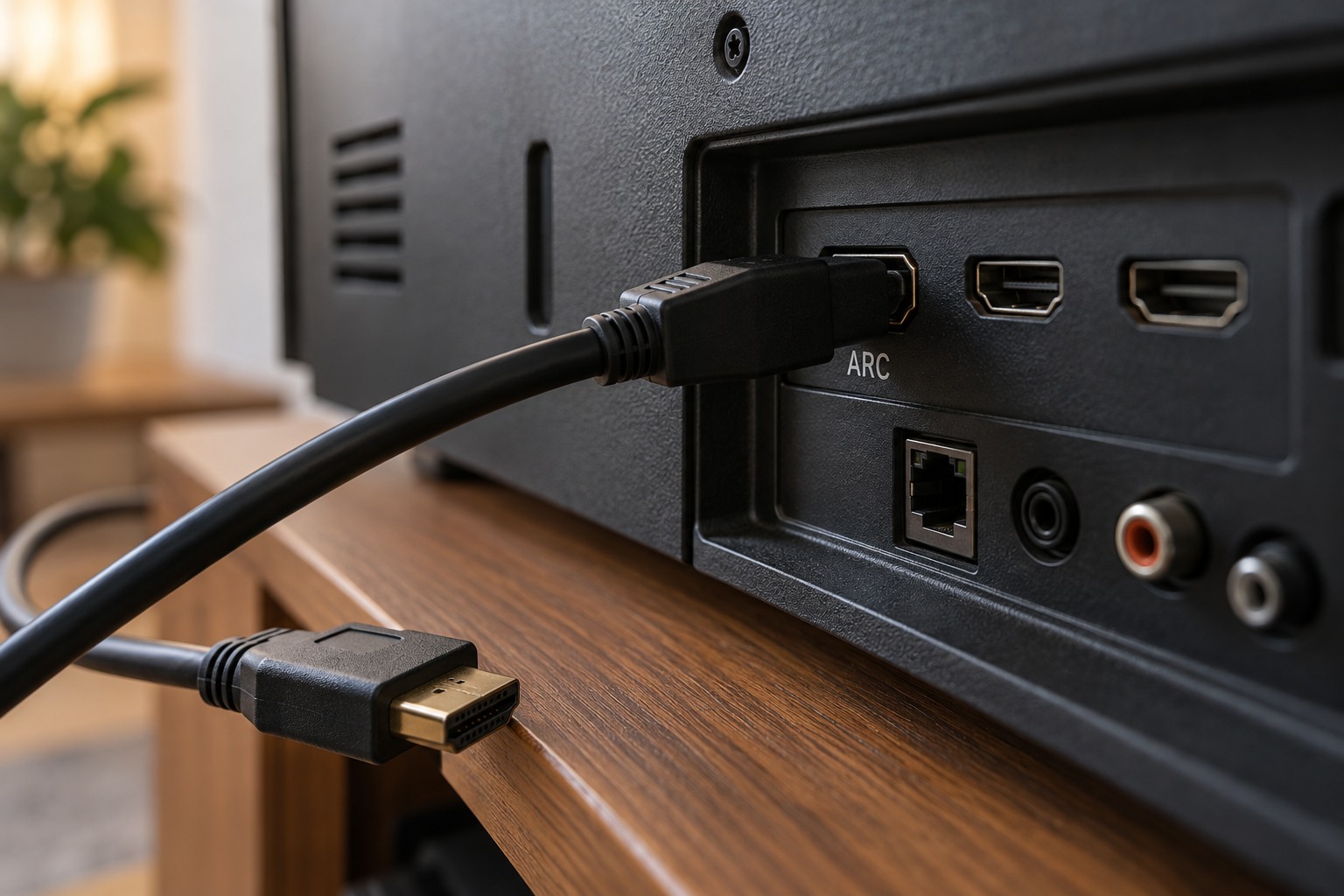
Identify the return-audio ports
ARC means Audio Return Channel. It lets a compatible television send audio to an audio system over the HDMI connection used between them. Enhanced ARC, or eARC, supports a wider audio capability, but the actual supported formats still depend on the connected equipment. HDMI’s official explanation distinguishes these features; an HDMI socket without the relevant support is not equivalent.
Inspect the television and sound system for ARC or eARC labeling and confirm the connection diagram in their manuals. A soundbar may have ordinary HDMI inputs for sources and a separate television connection. Connecting to a convenient unused port is not enough if it is the wrong one for return audio.
Set up a simple route first
Use the cable type recommended by the manufacturers and connect the designated ports. Enable the required audio-output and control settings described in the device instructions. Samsung’s ARC setup guidance illustrates how television and soundbar configuration work together. Menu names differ, so do not assume a setting from another brand has the same label.
Start with one known source, such as a television app, and check sound at a low level. Then test a device connected to the television. This separates a basic ARC connection problem from a source-format or pass-through issue. If a particular format is unsupported, choose a compatible output mode according to the manuals rather than assuming a cable upgrade will add decoding capability.
Verify power and volume behavior
Try the television remote’s volume and mute controls, then turn the system off and back on. Check whether the correct audio output returns automatically. If other HDMI devices change the behavior, reconnect and test them one at a time. Record the working configuration before making broader changes.
An older stereo without ARC may still be useful through another supported connection, such as optical or analog audio. Choose that route by the available inputs and formats, not by a promise that a passive adapter can add ARC to any socket. The goal is reliable television playback through the existing system, including predictable daily controls, rather than using the newest connection name regardless of compatibility.
Keep a small connection record
For an existing system, photograph the port labels and write down which cable joins which sockets. Include the television’s selected audio output and the sound system’s input name. If there are several source devices, list whether each connects to the television or to the sound system. This distinguishes the physical route from the remote-control behavior, which can otherwise make the setup seem more complicated than it is.
After the basic route works, try a normal sequence: start the television, open an app, switch to another source, mute, and return to the first app. Note any step that fails. A repeatable sequence gives support staff something specific to investigate and helps you determine whether the issue concerns startup, one content format, or one connected source. Avoid changing every audio option after a single failure.